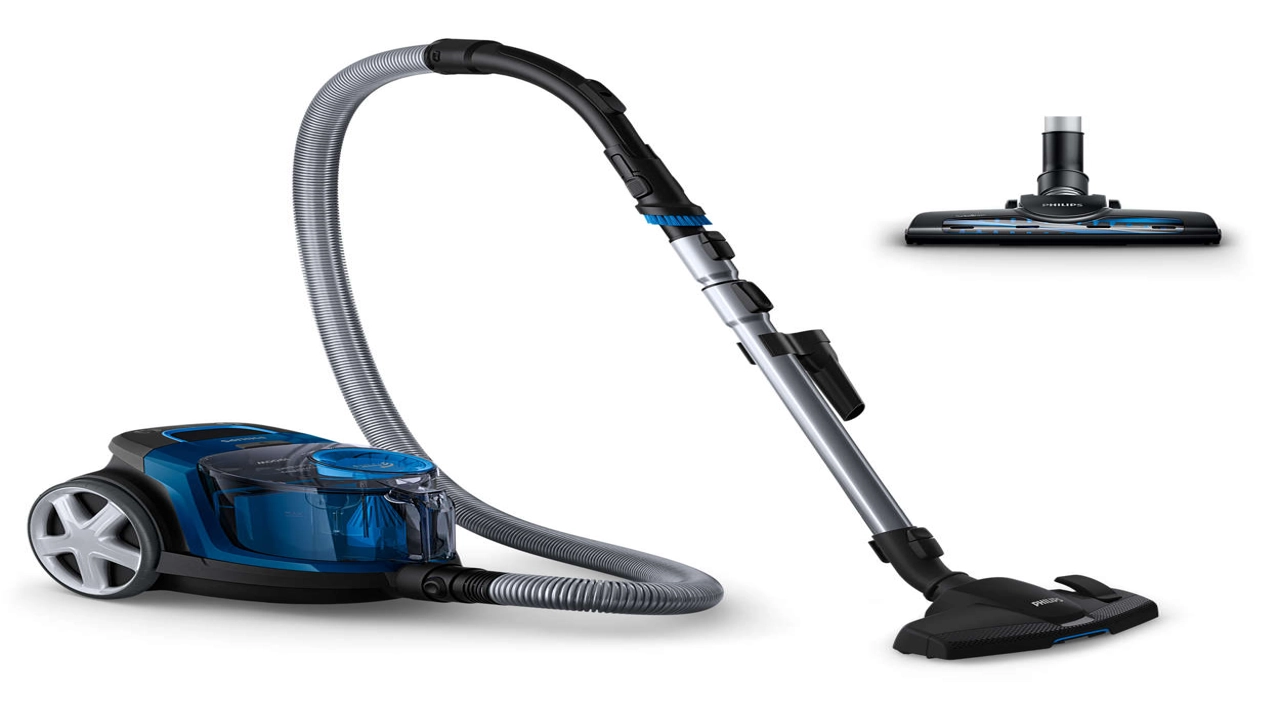
A good computer vacuum clears dust from keyboards, laptop vents, and desktop corners without scattering crumbs across your desk. The best models combine gentle suction with narrow nozzles that reach between keys and inside fan grills. This guide compares six mini vacuums and air dusters built for computers, not floors or cars.
If your main problem is a dusty keyboard rather than a desk setup, a dedicated mini model for computers often cleans faster than a general handheld. Our overall winner balances suction, attachments, and battery life for everyday keyboard and laptop cleaning. Before you buy, check nozzle width and filter access, because both decide how often you will actually use the tool.
Use vacuuming for crumbs and loose dust, and use blowing for dust stuck deep inside vents and fan blades. A combined vacuum and blower covers both jobs, but a vacuum-only model can still work well for keyboards and desks. Read each pick below, then match its strengths to the device you clean most often.
Quick Verdict
Best Overall: the Meudeen 14500 Pa Computer Vacuum Cleaner Mini suits most keyboard and laptop owners. It pairs vacuum and blower modes with several nozzles and a washable filter for easy upkeep.
Best Budget: the Honlibey Cordless Mini Computer Vacuum covers basic desk and keyboard cleaning in a very small body. It is simple to carry, simple to empty, and easy to keep beside a laptop.
Best Premium: the METROVAC DataVac MDV-1BA Pro Series brings corded power and a steel body for heavier computer cleaning. It suits buyers who want stronger airflow and a tool built for repeated workshop use.
1. Meudeen 14500 Pa Computer Vacuum Cleaner Mini — Best Overall
 Check On The Amazon.com
Disclosure: As an Amazon Associate, I earn from qualifying purchases.
The Meudeen mini vacuum combines vacuuming and blowing in one small body for keyboards and laptop vents. Six nozzle combinations help you switch from wide desk surfaces to narrow gaps between keys. A washable filter keeps running costs low and makes emptying simple after each clean.
Battery charging works through a laptop, power bank, or wall outlet, so the tool stays ready at your desk. Its compact size fits a drawer, yet suction stays strong enough for crumbs and dust on a keyboard tray. Skip this model if you need a large dust cup for whole-room cleaning, because its cup suits small electronics jobs best.
2. WOLFBOX MegaFlow 50 Compressed Air Duster
 Check On The Amazon.com
Disclosure: As an Amazon Associate, I earn from qualifying purchases.
The WOLFBOX MegaFlow 50 is an electric air duster that blows dust out of keyboards, vents, and fan grills. Four nozzles help you aim airflow into tight corners without touching delicate keys or fins. Its light body and lanyard make it easy to carry between a desk and a workbench.
Rechargeable power removes the need for disposable air cans, which saves waste over repeated cleaning sessions. The compact design suits quick dusting jobs, but it does not vacuum up crumbs or loose debris. Choose this pick when blowing dust away matters more than collecting it in a cup.
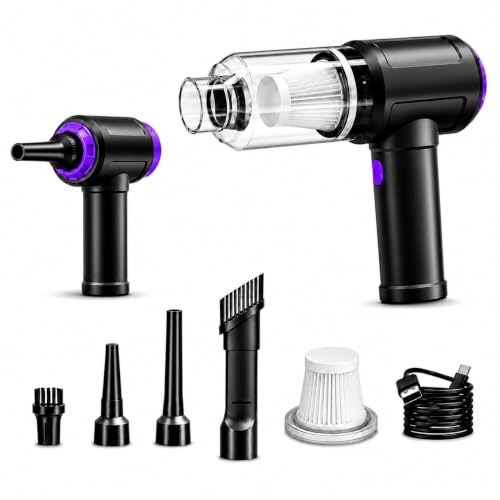
3. 14.5KPA Computer Keyboard Vacuum Cleaner
 Check On The Amazon.com
Disclosure: As an Amazon Associate, I earn from qualifying purchases.
This keyboard vacuum combines an electric air duster, strong suction, and a blower in one handheld tool. Special brush nozzles reach dust inside keyboard keys and around CPU fans that wipes cannot reach. A high-density filter traps fine dust, which helps keep cleaned surfaces cleaner for longer.
Charging works through a car charger, power bank, laptop, or wall outlet for flexible desk and travel use. The three-in-one design suits buyers who want one tool for vacuuming, blowing, and detail cleaning. Skip it if you prefer a vacuum-only model with a larger cup, because this tool stays focused on small electronics.
4. METROVAC DataVac MDV-1BA Pro Series Computer Vacuum — Best Premium
 Check On The Amazon.com
Disclosure: As an Amazon Associate, I earn from qualifying purchases.
The DataVac Pro Series is a corded computer cleaning system with both vacuum and blower modes for thorough dust removal. Its steel body feels solid in the hand, yet the unit stays light enough to move around a desk or workbench. Extra disposable bags in the box help you keep cleaning without stopping to empty a small cup.
Corded power suits longer cleaning sessions and dusty tower cases that drain small cordless tools quickly. The blower mode clears vents and heat sinks, while vacuum mode collects loose dust before it settles again. Skip this pick if you need a pocket-sized travel tool, because this pro model trades portability for power.
5. Meudeen Air Duster for Keyboard Cleaning
 Check On The Amazon.com
Disclosure: As an Amazon Associate, I earn from qualifying purchases.
This Meudeen air duster works as a mini vacuum, an air duster, and an air blower for keyboards and desks. At least six accessory combinations cover keyboard cleaning, car interiors, and other small surfaces around the home. A washable filter keeps maintenance simple, and the small body stores easily in a drawer.
Charging through a laptop, power bank, or wall outlet makes it a practical desk companion for daily touch-ups. The lightweight design suits quick cleans between longer deep-clean sessions with a larger vacuum. Skip it if you clean large dusty cases every week, because its small cup fills faster than a pro model.
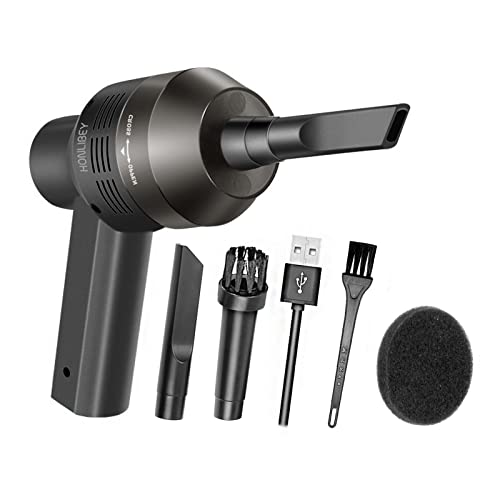
6. Honlibey Cordless Mini Computer Vacuum — Best Budget
 Check On The Amazon.com
Disclosure: As an Amazon Associate, I earn from qualifying purchases.
The Honlibey mini vacuum is a portable handheld cleaner for laptops, keyboards, and desktop dust. Its small size and light weight make it easy to carry from a desk to a bag without much bulk. A built-in battery supports about thirty minutes of use, which covers several keyboard cleans per charge.
This pick suits buyers who want a simple desk vacuum without extra modes or complex attachments. It handles surface dust and crumbs well, but it will not match a pro blower for deep fan cleaning. Choose it for everyday touch-ups, and keep a blower handy for dusty tower interiors.
Quick Comparison Table
| Product | Best For | Key Feature | Price |
|---|---|---|---|
| Meudeen 14500 Pa Computer Vacuum Cleaner Mini | Best Overall | Vacuum, blower, and washable filter | Check Price on Amazon |
| WOLFBOX MegaFlow 50 Compressed Air Duster | Blowing dust from vents | Rechargeable air duster with four nozzles | Check Price on Amazon |
| 14.5KPA Computer Keyboard Vacuum Cleaner | Three-in-one cleaning | Vacuum, duster, and blower modes | Check Price on Amazon |
| METROVAC DataVac MDV-1BA Pro Series | Best Premium | Corded vacuum and blower power | Check Price on Amazon |
| Meudeen Air Duster for Keyboard Cleaning | Lightweight detail cleaning | Multiple accessories and washable filter | Check Price on Amazon |
| Honlibey Cordless Mini Computer Vacuum | Best Budget | Portable desk and keyboard cleaning | Check Price on Amazon |
Buying Guide: How to Choose a Computer Vacuum Cleaner
Match the tool to the device you clean
Keyboards need narrow nozzles and soft brushes that clean between keys without bending keycaps. Laptop vents need aimed airflow that pushes dust out, rather than wide suction that misses the grill. Desktop towers benefit from a blower mode, because fans and heat sinks trap dust deep inside the case.
Decide between vacuuming and blowing
Vacuuming collects crumbs, hair, and loose dust into a cup or bag for tidy disposal. Blowing dislodges stuck dust from vents, fans, and heat sinks where suction alone cannot reach. A combined tool covers both jobs, but check that each mode works well on its own before you rely on it.
Check suction, airflow, and control
Strong suction helps with crumbs, but uncontrolled airflow can scatter light dust across a desk. Adjustable modes let you use gentle power for keyboards and stronger power for tower cases. Look for a nozzle set that focuses airflow, because a wide opening wastes power on small electronics jobs.
Compare cordless freedom with corded power
Cordless models suit quick desk cleans, travel, and small keyboards that need only short sessions. Corded models suit longer sessions and dusty cases, because they never run out of charge mid-clean. Match battery runtime or cord length to the largest device you clean in one session, not to the smallest.
Look at filters, cups, and emptying
A washable filter lowers upkeep and keeps suction steadier over repeated keyboard cleans. Small cups fill quickly, so check how easily the cup opens and whether dust escapes during emptying. Bagged pro models suit dusty workshops, while bin models suit light desk use with frequent emptying.
Weigh size, weight, and storage
A computer vacuum should live near the computer, or it will not get used often enough. Light models store in a drawer, while larger pro models need a shelf or a dedicated spot. Compact handheld models often win for desks, because they balance reach, weight, and storage in a small footprint.
Mistakes to avoid
Avoid buying on peak suction numbers alone, because nozzle design and filter quality shape real cleaning results. Never blow dust into a running fan without holding the blades still, since free spinning can stress the bearings. Do not ignore filter access, because a clogged filter quietly cuts suction long before the battery fades.
Frequently Asked Questions
What is the best computer vacuum cleaner?
Our top pick is the Meudeen 14500 Pa Computer Vacuum Cleaner Mini, because it combines vacuuming and blowing for keyboards and laptops. The Honlibey mini vacuum covers tighter needs at a simpler level, while the METROVAC DataVac suits heavier pro cleaning. Match the pick to your device, your dust level, and how often you clean.
Can a computer vacuum damage a keyboard or laptop?
A mini computer vacuum should not damage a keyboard when you use gentle suction and a soft brush nozzle. Avoid pressing hard on keycaps, and keep the nozzle moving rather than holding it on one key. For laptop vents, use short bursts and hold fan blades still, because free spinning can wear the fan bearings.
Should I choose a vacuum, an air duster, or both?
Choose a vacuum when crumbs and loose dust sit on keyboards, desks, and laptop surfaces. Choose an air duster when dust sits deep inside vents, fans, and heat sinks that suction cannot reach. A combined tool covers both jobs, and our guide to computer cleaning vacuums explains how the two modes work together in practice.
How often should I clean a keyboard and laptop vents?
Clean a keyboard surface weekly if you eat, drink, or work at the desk every day. Clean laptop vents every one to three months, depending on dust levels and whether pets live in the home. If fans grow louder or the laptop feels hotter, clean the vents sooner rather than waiting for a schedule.
Are cordless mini vacuums strong enough for fan dust?
Cordless mini vacuums handle surface dust and crumbs well, but they often lack the airflow for deep fan dust. A blower mode or a rechargeable air duster reaches dust inside vents more effectively than suction alone. For dusty tower cases, a corded pro model gives steadier power across a longer cleaning session.
What attachments matter most for computer cleaning?
A crevice nozzle matters most, because it reaches between keys and into narrow vent slots. A soft brush nozzle helps lift dust from keycaps and desk surfaces without scratching them. A blower nozzle rounds out the kit, because it aims airflow into fans and heat sinks with better control.
🔍 Free Tool: Vacuum Finder Quiz
Answer 6 quick questions — get your top 3 vacuum matches.
Conclusion
The Meudeen 14500 Pa Computer Vacuum Cleaner Mini is our overall winner for most keyboard and laptop owners. It balances vacuum and blower modes, useful nozzles, and a washable filter in a desk-friendly size. If you want a simpler budget option, the Honlibey mini vacuum covers everyday desk cleaning well.
For heavier tower cleaning, the METROVAC DataVac Pro Series gives corded power that small cordless tools cannot match. Whatever you choose, clean little and often, because light regular dusting protects keyboards, fans, and vents far better than one rare deep clean. Start with the pick that fits your main device, and add a cordless mini vacuum for quick touch-ups if your desk stays dusty.